“How to Do Direct-to-Film Printing: A Comprehensive Guide” -MAXDTF- China UV Magic Film, UV Film Transfer Film Supplier, Made in China
Direct-to-Film (DTF) printing has become a go-to choice for custom apparel and merchandise due to its versatility, cost-effectiveness, and ability to produce vibrant, durable prints on a wide range of materials. Whether you’re a small business owner, hobbyist, or beginner looking to master this technology, following a structured workflow is key to achieving consistent, professional results. This comprehensive guide walks you through every step of the DTF printing process, from pre-print preparation to final transfer, along with essential tips and troubleshooting advice.
Pre-Print Preparation: Gather Tools and Materials
Before diving into DTF printing, ensuring you have the right tools and materials ready will streamline the process and prevent errors. Here’s a checklist of essentials:
1. Core Equipment
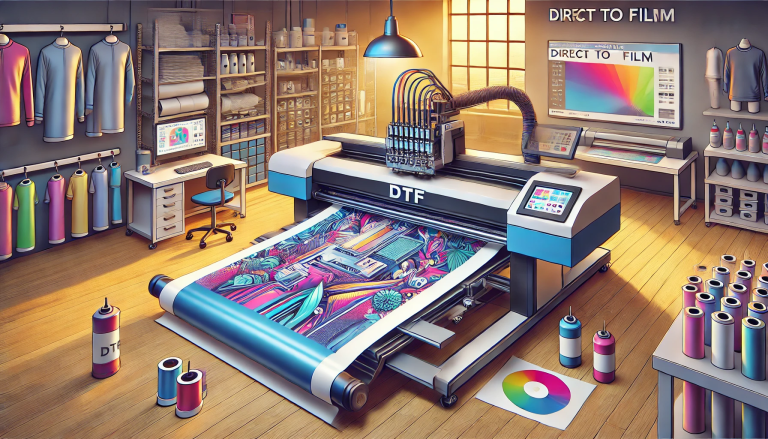
- DTF Printer: Choose a printer compatible with DTF inks (water-based or solvent-based). Entry-level models work for small batches, while industrial-grade printers suit high-volume production.
- Curing Oven or Heat Press: A curing oven (for bulk orders) or a heat press (for small batches) is required to melt the powder adhesive. Ensure it can reach temperatures between 320–350°F (160–175°C).
- Powder Shaker or Spreader: Used to evenly apply heat-sensitive powder adhesive over the printed film. Manual shakers work for beginners, while automatic spreaders improve efficiency.
- Heat Press (for Transfer): A clamshell or swing-away heat press with adjustable pressure and temperature controls is essential for transferring the design to fabric.
2. Consumables
- Transfer Film DTF: Opt for high-quality polyester-based film with a heat-sensitive adhesive coating. Choose the right type (standard, high-adhesion, low-temperature, or large-format) based on your fabric and design needs.
- DTF Inks: Use inks formulated specifically for DTF printing to ensure good adhesion and color vibrancy. Avoid generic inks, as they may cause poor print quality or durability issues.
- DTF Powder Adhesive: Select a heat-sensitive powder that matches your ink type. It should melt evenly and bond strongly with both the ink and fabric.
- Target Material: DTF works on cotton, polyester, blends, leather, nylon, and more. Prepare your fabric or merchandise (t-shirts, hoodies, bags, etc.) by washing and drying it to remove dirt, oils, or sizing.
3. Design and Software Tools
Use graphic design software (e.g., Adobe Photoshop, CorelDRAW, GIMP) to create or edit your design. Ensure the design is in a high-resolution format (300 DPI or higher) to avoid blurriness. Reverse the design if printing on light-colored fabrics (optional for dark fabrics, but recommended for consistency).
Step 1: Set Up the DTF Printer and Design
Proper printer setup and design preparation are critical for achieving sharp, accurate prints. Follow these steps:
- Load DTF Inks: Fill the printer’s ink cartridges with DTF-compatible inks. Prime the printer if it’s new or hasn’t been used in a while to ensure smooth ink flow.
- Load Transfer Film DTF: Place the Transfer Film DTF into the printer’s feed tray, ensuring the adhesive-coated side (usually the dull side) faces the print head. Adjust the feed rollers to match the film’s width to prevent misalignment.
- Calibrate the Printer: Run a test print (e.g., a color chart or small design) to check for ink bleeding, misalignment, or color accuracy. Adjust the printer’s settings (ink density, print speed) as needed.
- Prepare the Design: Upload your design to the printer’s software. Adjust the size, position, and color settings to match your target material. Ensure the design fits within the film’s dimensions.
Step 2: Print the Design onto Transfer Film DTF
Once the printer is set up, it’s time to print the design onto the Transfer Film DTF. Follow these best practices:
- Start the print job and monitor the process to ensure the ink is applied evenly. Avoid touching the film’s surface during or immediately after printing, as this can smudge the design.
- Allow the printed film to dry for a few minutes (1–2 minutes for water-based inks) to ensure the ink is fully absorbed by the film’s coating. This prevents the ink from running when applying the powder adhesive.
Step 3: Apply Powder Adhesive
The powder adhesive is what bonds the ink to the fabric, so even application is essential. Here’s how to do it:
- Place the printed film (design side up) on a flat, clean surface.
- Use a powder shaker or spreader to evenly coat the entire printed design with DTF powder adhesive. Ensure there are no gaps or clumps—too little powder will cause poor adhesion, while too much can lead to a thick, uneven finish.
- Shake off any excess powder from the film. Collect the excess powder for reuse (this reduces waste and costs).
Step 4: Cure the Printed Film
Curing melts the powder adhesive, bonding it to the ink and the Transfer Film DTF. This step ensures the design is durable and ready for transfer. Follow these instructions:
- Preheat your curing oven or heat press to 320–350°F (160–175°C). Allow it to reach the target temperature before inserting the film.
- Place the film (design side up) on a heat-resistant tray or Teflon sheet. Insert it into the oven or under the heat press.
- Cure the film for 2–3 minutes (oven) or 30–60 seconds (heat press). The powder should melt into a smooth, glossy layer—if it’s still powdery, extend the curing time slightly (avoid over-curing, which can make the design brittle).
- Remove the film from the oven/heat press and allow it to cool for 1–2 minutes. The cured design should be firm to the touch.
Step 5: Transfer the Design to the Target Material
The final step is transferring the cured design from the Transfer Film DTF to your fabric or merchandise. This is where the heat press comes into play:
- Preheat the heat press to 320–350°F (160–175°C). Adjust the pressure to medium-high (around 40–50 psi) for most fabrics.
- Place the target material on the heat press platen. Smooth out any wrinkles or creases (use a lint roller to remove dust or lint).
- Position the cured film (design side down) onto the material. Ensure the design is aligned correctly—use rulers or alignment tools if needed.
- Cover the film with a Teflon sheet to protect the design and heat press. Close the heat press and apply pressure for 10–15 seconds (adjust time for thicker fabrics or larger designs).
- Open the heat press and immediately peel the Transfer Film DTF away from the material (hot peel). If the design starts to lift, place the Teflon sheet back on and press for an additional 5 seconds.
- Allow the printed material to cool completely (5–10 minutes) before handling or washing. This ensures the adhesive bonds fully with the fabric fibers.
Post-Print Care and Maintenance
Proper care of the printed items and equipment will extend the life of your prints and keep your DTF setup running smoothly:
1. Caring for Printed Items
- Wash the printed item inside out in cold water using a mild detergent.
- Avoid using bleach, fabric softeners, or high-heat drying (line dry or tumble dry on low heat).
- Do not iron directly on the design—iron inside out or use a Teflon sheet as a barrier.
2. Maintaining DTF Equipment
- Clean the printer’s print head regularly to prevent clogs (follow the manufacturer’s instructions).
- Wipe down the heat press platen and curing oven with a clean, dry cloth after each use to remove powder residue.
- Store Transfer Film DTF and powder adhesive in a cool, dry place to avoid moisture buildup.
Common DTF Printing Issues and Troubleshooting
Even with proper setup, you may encounter minor issues. Here are solutions to the most common problems:
- Blurry or Faded Prints: Check ink levels and printer calibration. Ensure the Transfer Film DTF is loaded correctly (adhesive side up). Use high-resolution designs and avoid over-saturating the film with ink.
- Poor Adhesion (Design Peels Off): Increase curing time/temperature or heat press pressure. Ensure the target material is clean and dry before transfer. Use the correct type of Transfer Film DTF for the fabric.
- Powder Clumps on Film: Sift the powder before use to remove lumps. Use a spreader for even application. Avoid overloading the film with powder.
- Ink Bleeding: Reduce print speed or ink density. Allow the printed film to dry longer before applying powder. Use a high-quality Transfer Film DTF with a smooth coating.
Conclusion
Mastering DTF printing requires following a structured workflow, from pre-print preparation to post-print care. By gathering the right tools, setting up your printer correctly, and following the steps for printing, curing, and transferring, you can produce professional-quality, durable prints on a wide range of materials. Remember to experiment with different films, inks, and fabrics to find what works best for your needs, and don’t hesitate to troubleshoot minor issues as you go. With practice, DTF printing will become a seamless and rewarding process, allowing you to bring your creative ideas to life.