“Exploring the Compatibility of UV DTF Film with Inkjet Printers” -MAXDTF- China UV DTF AB Film, UV DTF PET Decal Wholesale, Made in China
UV DTF (Ultraviolet Direct-to-Film) printing has emerged as a versatile solution for customizing a wide range of substrates, from textiles to hard surfaces. At the core of this technology lies the synergy between UV DTF film and inkjet printers—a relationship that directly impacts print quality, durability, and production efficiency. Understanding the compatibility of UV DTF film with inkjet printers is crucial for printers, businesses, and designers aiming to leverage this technology effectively. This article delves into the key factors influencing compatibility, the types of inkjet printers suited for UV DTF film, practical optimization strategies, and common challenges with solutions.
Why Compatibility Matters: The Foundation of Quality UV DTF Printing
Compatibility between UV DTF film and inkjet printers is not a trivial detail; it is the backbone of successful UV DTF printing. When the two components work in harmony, they ensure precise ink deposition, strong ink adhesion to the film, and consistent curing—all of which translate to sharp, vibrant, and durable prints. Conversely, incompatible pairings can lead to a host of issues: ink smudging, poor transfer performance, uneven curing, or even damage to the printer or film. For businesses, this means wasted materials, increased production costs, and compromised customer satisfaction. For designers, it limits creative potential by restricting the ability to reproduce intricate details or bold color gradients. Thus, prioritizing compatibility is essential for unlocking the full potential of UV DTF technology.
Key Factors Influencing UV DTF Film-Inkjet Printer Compatibility
Several critical factors determine whether a UV DTF film will work seamlessly with an inkjet printer. Understanding these factors helps in selecting the right combination for specific printing needs.
1. UV Ink Formulation
UV DTF printing relies exclusively on UV-curable inks, and the formulation of these inks must align with the coating of the UV DTF film. Most UV DTF films feature a specialized ink-receptive coating that is engineered to bond with specific UV ink chemistries (e.g., acrylic-based or polyurethane-based inks). Incompatible inks may fail to adhere to the film’s coating, leading to smudging during handling or poor transfer to the substrate. It is essential to use inks recommended by the UV DTF film manufacturer, as they are tested to ensure optimal adhesion and curing.
2. Film Coating Properties
The coating of UV DTF film is designed to absorb and hold UV inks until curing. Factors such as coating thickness, porosity, and chemical composition directly impact compatibility. A high-quality coating will have uniform thickness, ensuring consistent ink absorption across the film’s surface. Porosity is also critical: too porous a coating may cause ink bleeding, while a non-porous coating may prevent proper ink adhesion. Additionally, the coating must be compatible with the printer’s print head technology to avoid clogs or damage.
3. Print Head Technology
Inkjet printers use two primary print head technologies: piezoelectric and thermal. UV DTF film is generally more compatible with piezoelectric print heads, which eject ink droplets using electrical pulses (rather than heat, as in thermal heads). Thermal print heads generate heat that can prematurely cure UV inks or damage the UV DTF film’s coating, leading to print head clogs and poor print quality. Most UV DTF printers on the market are equipped with piezoelectric print heads, making them the preferred choice for this technology.
4. Printer Settings and Calibration
Even with compatible film and ink, incorrect printer settings can undermine compatibility. Key settings include ink droplet size, print speed, and UV lamp intensity. For example, a print speed that is too fast may not allow sufficient ink deposition on the film, while overly intense UV lamps may cure the ink before it fully adheres to the coating. Proper calibration of these settings—following the film and ink manufacturer’s guidelines—ensures that the printer and film work in sync to produce high-quality prints.
Types of Inkjet Printers Compatible with UV DTF Film
Not all inkjet printers are suitable for UV DTF film. Below are the most compatible printer types, tailored to different production scales and needs:
1. Industrial-Grade UV DTF Printers
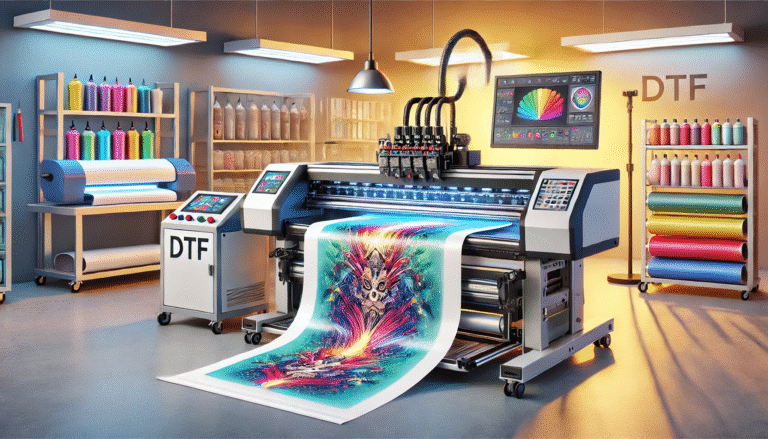
These printers are specifically designed for UV DTF printing, featuring piezoelectric print heads, integrated UV curing lamps, and adjustable settings to accommodate various UV DTF film types. They are ideal for large-scale production runs, offering high speed, precision, and consistency. Industrial-grade UV DTF printers are fully compatible with most UV DTF films, as they are engineered to work with the film’s coating and UV ink formulations.
2. Modified Desktop Inkjet Printers
For small-batch or hobbyist printing, desktop inkjet printers can be modified to work with UV DTF film. Modifications typically include replacing standard inks with UV-curable inks and adding an external UV curing lamp. However, compatibility is more limited with desktop printers: they must have piezoelectric print heads (thermal heads are not suitable) and be able to handle the thickness of UV DTF film. It is important to note that modified desktop printers may not offer the same level of consistency or durability as industrial-grade models.
Practical Tips to Optimize Compatibility and Print Quality
To ensure the best possible compatibility between UV DTF film and inkjet printers, follow these practical tips:
1. Use Matching Film and Ink from Reputable Manufacturers
Reputable manufacturers often sell UV DTF film and ink as a matched set, ensuring they are formulated to work together. This eliminates the guesswork of compatibility and reduces the risk of print defects.
2. Conduct Test Prints Before Full-Scale Production
Before printing large orders, perform test prints on a small piece of UV DTF film. This allows you to check for ink adhesion, color accuracy, and curing quality. Adjust printer settings as needed based on the test results.
3. Maintain and Clean the Printer Regularly
Regular maintenance of the printer’s print heads, rollers, and UV lamps ensures optimal performance. Clean print heads prevent clogs that can disrupt ink deposition, while well-maintained UV lamps ensure consistent curing—both critical for compatibility with UV DTF film.
4. Store UV DTF Film Properly
Poor storage can degrade the film’s coating, reducing its compatibility with inkjet printers. Store UV DTF film in a cool, dry, and dust-free environment, sealed in its original packaging when not in use. Avoid exposure to moisture, heat, or direct sunlight.
Common Compatibility Challenges and Solutions
Even with careful selection and setup, compatibility issues may arise. Below are common challenges and their solutions:
- Ink Smudging on Film: Cause—Incompatible ink or insufficient curing. Solution—Switch to ink recommended by the film manufacturer and adjust UV lamp intensity or print speed to ensure full curing.
- Poor Ink Adhesion: Cause—Damaged film coating or incorrect printer settings. Solution—Replace the film with a fresh roll and recalibrate print speed and ink droplet size.
- Print Head Clogs: Cause—Thermal print head use or low-quality ink. Solution—Use a piezoelectric print head and high-quality, manufacturer-recommended UV ink; clean the print head regularly.
- Uneven Color or Bleeding: Cause—Inconsistent film coating or overly porous film. Solution—Use a high-quality UV DTF film with uniform coating and adjust ink density settings.
Conclusion
The compatibility of UV DTF film with inkjet printers is a critical factor that determines the success of UV DTF printing. By understanding the key influencing factors—UV ink formulation, film coating properties, print head technology, and printer settings—printers can select the right combination of film and printer for their needs. Choosing compatible industrial-grade UV DTF printers or properly modified desktop models, using matched film and ink, and following best practices for maintenance and storage will ensure optimal compatibility and high-quality prints. As UV DTF technology continues to evolve, prioritizing compatibility will remain essential for unlocking its full creative and commercial potential.